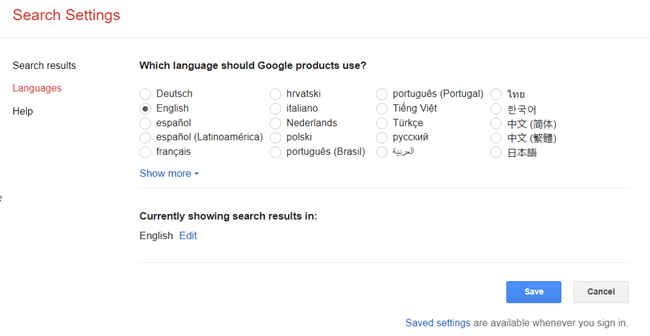
While using Check Point SASE, if you see Google displaying a location/language different than your IP Address' location, there is a simple solution.
Lots of websites/services, including reputable ones don't update their Geolocation databases to the latest information. It is very common that Google identifies the wrong location with our product.
1. Make sure you are connected to the VPN.
2. Go to www.google.com.
3. Select Settings > Search Settings.
.png)
4. Scroll down to find Region Settings, select Show More.
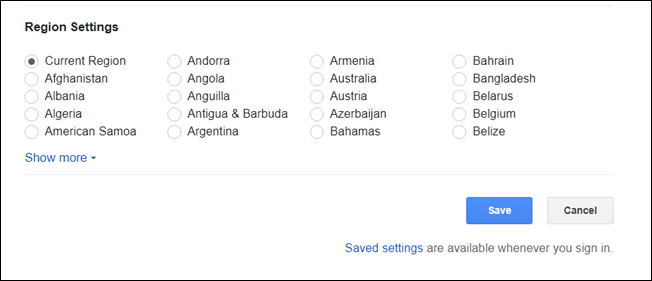
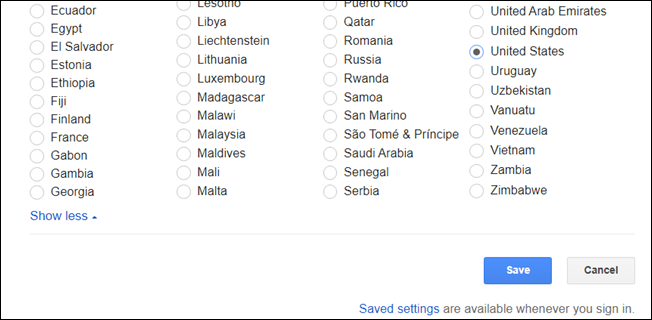
5. Select the desired country, ideally the same as your IP's.
6. Now click Languages, select your desired language, and select Save.